Scrape API
Access on requestThe Scrape API returns the HTML of any public web page. Send a URL, and get back the page, the site's status code and its response headers in one JSON answer.
You can call the Scrape API in two ways. Both give the same answer and cost the same.
- POST with a JSON body takes every parameter. Use it to send a
POSTto a site, and for long URLs or many headers. - GET with query parameters is the quickest way to read a page. It sends a
GETto the site, and takes every parameter exceptmethodandbody.
Use it for sites that have no dedicated SearchApi engine, for tasks such as:
- Monitoring prices and stock on online stores.
- Collecting articles, listings or reviews.
- Checking how a page looks from another country.
A scrape costs 1 search credit when the site answers with a page, a redirect or a client error that your request caused, such as a 404. The credit comes from the same balance as your searches. A site's own server error and failed scrapes are free. scrape_metadata.credits shows what each scrape cost.
The Scrape API returns the HTML that the site sends. It does not run JavaScript, so content that a page loads with scripts is not in the answer.
The Scrape API is turned on per account. Contact support@searchapi.io to turn it on for yours.
API Parameters
Target
-
- Name
-
url - Required
- Required
- Description
-
The page to scrape, as a full
https://URL, such ashttps://en.wikipedia.org/wiki/Web_scraping. The URL can be up to 8 KB, on port 80 or 443, without a user name or password. A redirect to anhttp://page is not followed: the response is the redirect itself. In a GET request, percent-encode the URL.
Request
-
- Name
-
method - Required
- Optional
- Description
-
The HTTP method sent to the site:
GETorPOST. By default, it is set toGET. POST requests to the Scrape API only: a GET request always sendsGETto the site.
-
- Name
-
body - Required
- Optional
- Description
-
The request body sent to the site, as text of up to 1 MB. Only
POSTtakes a body. Set itsContent-Typeinheaders. POST requests to the Scrape API only.
-
- Name
-
headers - Required
- Optional
- Description
-
Request headers sent to the site, as a JSON object such as
{"Accept-Language": "de-DE"}. In a GET request, send each header asheaders[Accept-Language]=de-DE. You can send up to 100 headers. A few headers, such asUser-AgentandAccept-Encoding, are set for you and can't be sent. A request that sends one getsinvalid_parameter, and the message names the header. Send cookies withcookies.
Session
-
- Name
-
session_id - Required
- Optional
- Description
-
Requests with the same
session_idare sent from the same IP address, for up to 10 minutes. Use up to 255 letters, digits or symbols, without spaces, such ascrawl-42. See the Session example.
Authentication
-
- Name
-
Authorization - Required
- Required
- Description
-
Your API key, sent in the
Authorizationheader asBearer YOUR_API_KEY. A GET request can instead send it as theapi_keyquery parameter. A POST request cannot. A URL can end up in logs and browser history, so prefer the header.
Zero Data Retention
-
- Name
-
zero_retention - Enterprise Only
- Enterprise Only
- Required
- Optional
- Description
-
Set this parameter to
trueto disable all logging and persistent storage. No request parameters, HTML, or JSON responses are stored or logged. Suitable for high-compliance use cases. Debugging and support may be limited while enabled. The answer then has noid.
API Examples
Scrape a Page
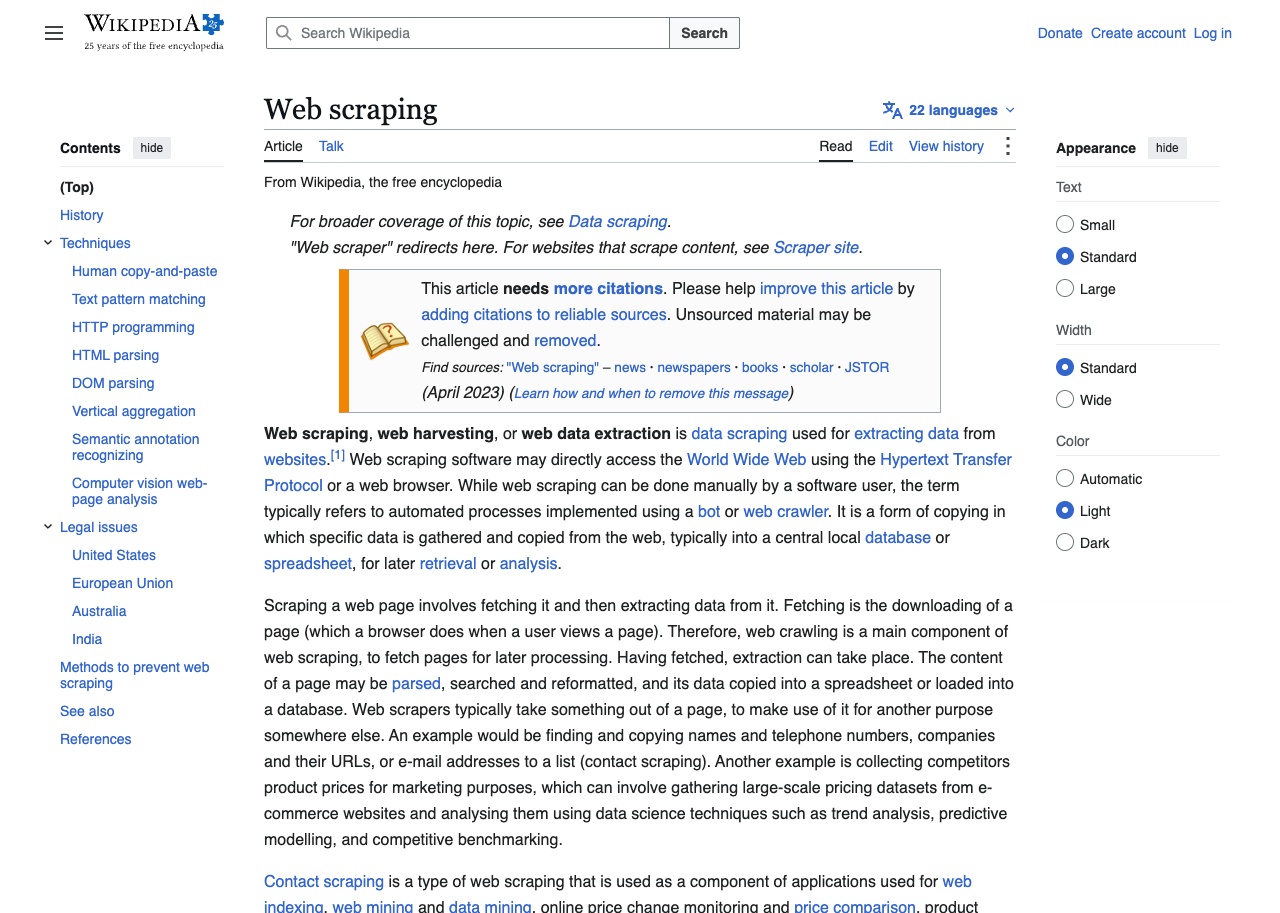
This example scrapes a Wikipedia article. Only url is required. The request is sent from the United States with GET.
Response parameters:
scrape_metadata.id- The scrape's id.scrape_metadata.status-completedwhen the site answered.scrape_metadata.created_at- When the scrape was created, in UTC.scrape_metadata.request_time_taken- How long the scrape took, in seconds.scrape_metadata.credits- What the scrape cost:1or0.target.status- The status code the site sent.target.final_url- The URL of the page that answered.target.headers- The site's response headers, with lowercase names. Each value is an array.outputs.html- The page's HTML.
Integration tips:
- When we reach the site, the API answers
200, even if the site sent a404. Checktarget.statusbefore you use the page. - Parse
outputs.htmlwith any HTML parser, such as BeautifulSoup, Cheerio or Nokogiri. outputs.htmlis already decompressed, so headers such ascontent-encodingandcontent-lengthare left out.
https://www.searchapi.org/api/v1/scrape- Python
- Node
- Ruby
- Java
- Go
- PHP
- Bash
- R
- Kotlin
- Swift
- C#
- C
- C++
- requests
import requests

url = "https://www.searchapi.org/api/v1/scrape"
headers = {"Authorization": "Bearer YOUR_API_KEY"}
payload = {
  "url": "https://en.wikipedia.org/wiki/Web_scraping"
}

response = requests.post(url, headers=headers, json=payload, timeout=90)
print(response.text)
{
  "scrape_metadata": {
    "id": "scrape_m209QioR4JaxcQvdGslIOkxs",
    "status": "completed",
    "created_at": "2026-10-28T09:12:41Z",
    "request_time_taken": 1.84,
    "credits": 1
  },
  "target": {
    "status": 200,
    "final_url": "https://en.wikipedia.org/wiki/Web_scraping",
    "headers": {
      "content-type": [
        "text/html; charset=UTF-8"
      ],
      "content-language": [
        "en"
      ],
      "last-modified": [
        "Mon, 26 Oct 2026 19:21:31 GMT"
      ],
      "...": "..."
    }
  },
  "outputs": {
    "html": "<!DOCTYPE html>\n..."
  }
}
GET Request
This example scrapes the same Wikipedia article with a GET request, and gets the same answer.
Integration tips:
- Percent-encode
url. Without it, an&in the page's URL ends the parameter, and the request fails withinvalid_parameter. - Send headers as
headers[Accept-Language]=de-DEand cookies ascookies=currency%3DEUR. - Headers, cookies and API keys in a URL can end up in logs and browser history. Use a POST request for secrets.
https://www.searchapi.org/api/v1/scrape?url=https%3A%2F%2Fen.wikipedia.org%2Fwiki%2FWeb_scraping- Python
- Node
- Ruby
- Java
- Go
- PHP
- Bash
- R
- Kotlin
- Swift
- C#
- C
- C++
- requests
import requests

url = "https://www.searchapi.org/api/v1/scrape"
params = {
  "url": "https://en.wikipedia.org/wiki/Web_scraping"
}

response = requests.get(url, params=params)
print(response.text)
{
  "scrape_metadata": {
    "id": "scrape_m209QioR4JaxcQvdGslIOkxs",
    "status": "completed",
    "created_at": "2026-10-28T09:12:41Z",
    "request_time_taken": 1.84,
    "credits": 1
  },
  "target": {
    "status": 200,
    "final_url": "https://en.wikipedia.org/wiki/Web_scraping",
    "headers": {
      "content-type": [
        "text/html; charset=UTF-8"
      ],
      "content-language": [
        "en"
      ],
      "last-modified": [
        "Mon, 26 Oct 2026 19:21:31 GMT"
      ],
      "...": "..."
    }
  },
  "outputs": {
    "html": "<!DOCTYPE html>\n..."
  }
}
Country and Headers
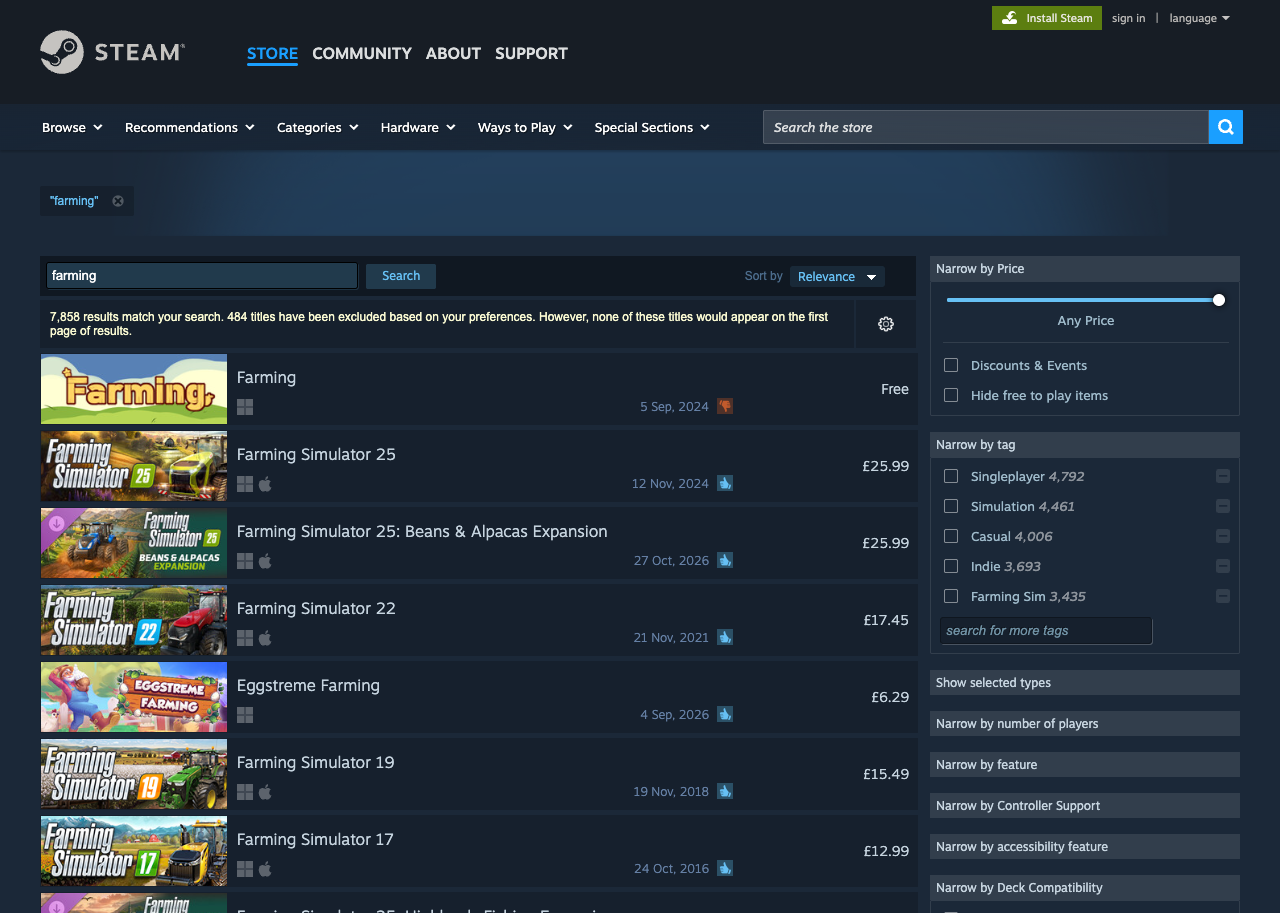
This example searches the Steam store from the United Kingdom, with an Accept-Language header. Steam shows prices in the visitor's local currency, so the prices in outputs.html are in pounds.
Integration tips:
- Many sites show local prices, languages or products by country. Set
countryto see the page as a visitor from there. - Send cookies with
cookies, not inheaders.
https://www.searchapi.org/api/v1/scrape- Python
- Node
- Ruby
- Java
- Go
- PHP
- Bash
- R
- Kotlin
- Swift
- C#
- C
- C++
- requests
import requests

url = "https://www.searchapi.org/api/v1/scrape"
headers = {"Authorization": "Bearer YOUR_API_KEY"}
payload = {
  "url": "https://store.steampowered.com/search/?term=farming",
  "country": "gb",
  "headers": {
    "Accept-Language": "en-GB,en;q=0.9"
  }
}

response = requests.post(url, headers=headers, json=payload, timeout=90)
print(response.text)
{
  "scrape_metadata": {
    "id": "scrape_14tIXb2rPmZyItCBapAbCm6P",
    "status": "completed",
    "created_at": "2026-10-28T09:14:07Z",
    "request_time_taken": 2.31,
    "credits": 1
  },
  "target": {
    "status": 200,
    "final_url": "https://store.steampowered.com/search/?term=farming",
    "headers": {
      "content-type": [
        "text/html; charset=UTF-8"
      ],
      "set-cookie": [
        "steamCountry=GB%7Caddea5703f4d49c1df9d335ef19ce173; path=/; secure; HttpOnly; SameSite=None",
        "..."
      ],
      "...": "..."
    }
  },
  "outputs": {
    "html": "<!DOCTYPE html>\n<html class=\" responsive DesktopUI\" lang=\"en\"  >\n<head>\n\t<meta http-equiv=\"Content-Type\" content=\"text/html; charset=UTF-8\">\n\t\t\t<meta name=\"viewport\" content=\"width=device-width,initial-scale=1\">\n\t\t<meta name=\"theme-color\" content=\"#171a21\">\n\t\t<title>Steam Search</title>\n..."
  }
}
Session

This example scrapes the BBC's technology news in a session. Send the same session_id with each page you scrape, and all of them are sent from the same IP address.
Integration tips:
- A session lasts 10 minutes from its first request. After that, the same
session_idstarts a new session. - A session keeps the
countryof its first request. A request with another country fails withinvalid_parameter. - If the session's IP address is no longer available, the request fails with
session_unavailable. Send it again to start a new session.
https://www.searchapi.org/api/v1/scrape- Python
- Node
- Ruby
- Java
- Go
- PHP
- Bash
- R
- Kotlin
- Swift
- C#
- C
- C++
- requests
import requests

url = "https://www.searchapi.org/api/v1/scrape"
headers = {"Authorization": "Bearer YOUR_API_KEY"}
payload = {
  "url": "https://www.bbc.com/news/technology",
  "session_id": "bbc-news-1"
}

response = requests.post(url, headers=headers, json=payload, timeout=90)
print(response.text)
{
  "scrape_metadata": {
    "id": "scrape_u9prKbf85pYYeCN5OQ3o3uPN",
    "status": "completed",
    "created_at": "2026-10-28T09:16:22Z",
    "request_time_taken": 1.52,
    "credits": 1
  },
  "target": {
    "status": 200,
    "final_url": "https://www.bbc.com/technology",
    "headers": {
      "content-type": [
        "text/html; charset=utf-8"
      ],
      "cache-control": [
        "private, stale-if-error=90, stale-while-revalidate=30, max-age=0, must-revalidate"
      ],
      "...": "..."
    }
  },
  "outputs": {
    "html": "<!DOCTYPE html><html lang=\"en-GB\"><head><meta charSet=\"utf-8\" data-next-head=\"\"/><meta name=\"viewport\" content=\"width=device-width, initial-scale=1\" data-next-head=\"\"/><title data-next-head=\"\">BBC Technology | Technology, Health, Environment, AI</title><meta name=\"description\" content=\"BBC Technolog..."
  }
}
POST with a Body
This example sends a form to the Wikipedia API, which searches Wikipedia and answers with JSON.
Integration tips:
bodyis sent to the site as it is. Set itsContent-Typeinheaders.outputs.htmlholds the site's answer as text, here JSON. Parse it with a JSON parser.
https://www.searchapi.org/api/v1/scrape- Python
- Node
- Ruby
- Java
- Go
- PHP
- Bash
- R
- Kotlin
- Swift
- C#
- C
- C++
- requests
import requests

url = "https://www.searchapi.org/api/v1/scrape"
headers = {"Authorization": "Bearer YOUR_API_KEY"}
payload = {
  "url": "https://en.wikipedia.org/w/api.php",
  "method": "POST",
  "headers": {
    "Content-Type": "application/x-www-form-urlencoded"
  },
  "body": "action=query&list=search&srsearch=web+scraping&srlimit=3&format=json"
}

response = requests.post(url, headers=headers, json=payload, timeout=90)
print(response.text)
{
  "scrape_metadata": {
    "id": "scrape_MW1AjCAqriXPWSMN2ZctKGoa",
    "status": "completed",
    "created_at": "2026-10-28T09:18:49Z",
    "request_time_taken": 1.22,
    "credits": 1
  },
  "target": {
    "status": 200,
    "final_url": "https://en.wikipedia.org/w/api.php",
    "headers": {
      "content-type": [
        "application/json; charset=utf-8"
      ],
      "cache-control": [
        "private, must-revalidate, max-age=0"
      ],
      "...": "..."
    }
  },
  "outputs": {
    "html": "{\"batchcomplete\":\"\",\"continue\":{\"sroffset\":3,\"continue\":\"-||\"},\"query\":{\"searchinfo\":{\"totalhits\":2120,\"suggestion\":\"web scripting\",\"suggestionsnippet\":\"web scripting\"},\"search\":[{\"ns\":0,\"title\":\"Web scraping\",\"pageid\":2696619,\"size\":34836,\"wordcount\":4123,\"snippet\":\"<span class=\\\"searchmatch\\\">Web<..."
  }
}
Failed Scrape
This URL is an image, not a web page, so the scrape fails with target_unreadable. A failed scrape answers with the HTTP status of its error and is free.
Response parameters:
scrape_metadata.id- The scrape's id. A request refused before the scrape starts has none.scrape_metadata.status-failed.error_code- One of the error codes below.error- What went wrong.target.status- The status code the site sent, when it answered. Here the site sent the image with200.
https://www.searchapi.org/api/v1/scrape- Python
- Node
- Ruby
- Java
- Go
- PHP
- Bash
- R
- Kotlin
- Swift
- C#
- C
- C++
- requests
import requests

url = "https://www.searchapi.org/api/v1/scrape"
headers = {"Authorization": "Bearer YOUR_API_KEY"}
payload = {
  "url": "https://upload.wikimedia.org/wikipedia/commons/6/63/Wikipedia-logo.png"
}

response = requests.post(url, headers=headers, json=payload, timeout=90)
print(response.text)
{
  "scrape_metadata": {
    "id": "scrape_hNnma7aXsBrV073r7PNekwEh",
    "status": "failed",
    "created_at": "2026-10-28T09:20:03Z",
    "request_time_taken": 1.46,
    "credits": 0
  },
  "error_code": "target_unreadable",
  "error": "The website answered, but its page is not text or could not be decoded. You were not charged.",
  "target": {
    "status": 200
  }
}
Errors
| Error code | HTTP status | Meaning | What to do |
|---|---|---|---|
invalid_parameter
|
400 | The request is not valid. | Fix the request. The error message names the first problem. |
blocked_destination
|
400 | The url, or a page it redirected to, points to a site or address that is not scraped. | Use another URL. If you need this site, contact support. |
not_enabled
|
403 | The scrape API is not enabled for this account. | Contact support to turn on the Scrape API. |
zero_retention_forbidden
|
403 | Zero Data Retention is only available for Enterprise accounts. | Remove zero_retention, or contact us about an Enterprise plan. |
response_too_large
|
413 | The page, or the JSON answer with it, is over 20,000,000 bytes. | Scrape a smaller page. |
internal_error
|
500 | Internal SearchAPI error. Please contact support at support@searchapi.io or via live chat. | Try again. If it keeps failing, contact support. |
target_blocked
|
502 | The website blocked the request. | Try again later, or send the request from another country. |
target_unreachable
|
502 | The website, or a page it redirected to, could not be reached. | Check that the URL opens in a browser, then try again. |
target_unreadable
|
502 | The website answered, but its page is not text or could not be decoded. | Check that the URL is a web page, not a file such as an image or a PDF. |
upstream_error
|
502 | The scrape could not be completed. Please try again. | Try again. |
service_unavailable
|
503 | The scrape service is temporarily unavailable. Please try again. | Try again in a moment. |
session_unavailable
|
503 | The session is no longer available. Send the request again to start a new session. | Send the request again. It starts a new session. |
timeout
|
504 | The scrape did not finish within its time limit of 85 seconds. | Try again later. |
A missing or invalid API key answers 401. An account limit answers 429: no credits left for the month, the hourly limit, too many scrapes at the same time, or an overdue payment. These answers carry only an error message.